
How to download YouTube videos and convert them to XviD and DivX
Downloading and Converting Youtube Videos
Most if not all Blu-ray players will play video files if they are of a supported format. Most Blu-ray players include an embedded Linux system running on a small single-board computer. A large sheet of thin paper folded many times will be in the box, it lists the open-source licenses for the Linux operating system plus numerous audio and video codecs, plus the commercial license for the Microsoft WMV and WMA codecs. Our goal is to download video files from web pages and convert them into a format that can easily be played on your DVD player and watched on your television.
Download the Video
First, find the videos you want to watch on your DVD player and television. Maybe your taste runs to the sorts of films you can get from Archive.org — perhaps Classic Soviet movies, or possibly 1970 industrial hygiene shorts explaining blasting caps and the dangers they pose to children,
If so, you might be able to directly download a DivX file and your problem is already solved! If you don't find the desired format, get what you can and skip ahead.
But what if you want to download a video from YouTube?
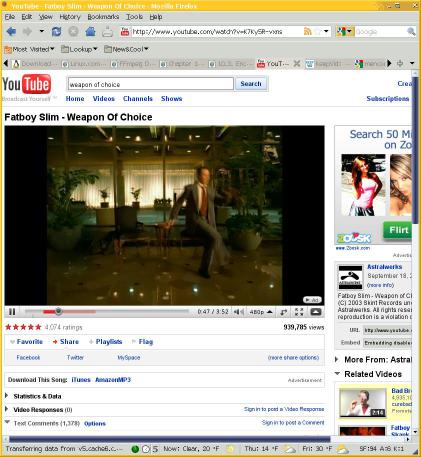
A YouTube page viewed with Firefox on a KDE desktop under Linux.
Amazon
ASIN: B015OY6WKS
Download the Video
Start by getting some form of the video onto your system. The easiest choice is something like the very simple and easy to use KeepVid page. Just copy and paste the YouTube URL into place. You should see a result that looks something like this:
Just right-click on that download link marked as
"MP4 - High Quality" and save the file.
Change its name to something more useful than
the default video.mp4 file name!
An even simpler tool is youtube-dl, a simple command-line program for downloading video files if you know the URL of page. See the youtube-dl page for simple instructions on how to install and use that tool on your system.
Or, you can use the DownloadHelper plugin for Firefox.
Download links
Links found on http://www.youtube.com/watch?v=hBzXChYSOpU
Report any problems to: keepvid.com@gmail.com
>> Download <<
(FLV - Low Quality)
>> Download <<
(MP4 - High Quality)
What did you get? What do you need?
You should now have an MPEG video file on your system. Let's verify that:
$ file fatboy-slim.mp4
fatboy-slim.mp4: MPEG sequence, v2, program multiplex
You could play that video on your computer with
gmplayer or a similar media player tool.
But if you simply burn the file onto CD or DVD media,
your DVD player probably won't play it even though
your player has a sticker saying "MPEG" on it.
Your player probably needs something in XviD format, a video codec that follows the MPEG-4 Part 2 Advanced Simple Profile standard.
Go ahead, check your DVD player's manual, I'll wait.
If it specifies DivX instead of XviD, I also have a fix for that a little further below.
Convert the video format
There are several ways of doing this.
I came across good descriptions of various methods at
linux.com
and
linuxreviews.org.
A very simple method would be to use the
transcode tool.
Better methods involve
ffmpeg
or
mencoder.
See those pages for more details, including how to do two-pass
encoding with mencoder,
at
linuxreviews.org
or
the mplayer site,
including
tricks for dealing with the awful Microsoft
WMV/ASF/WMX Windows Media formats.
I converted the downloaded video file into two new files,
one in XviD and the other in the
DivX format.
I put both files onto a CD, simply making an ISO-9660
file system with two files,
test-xvid.avi
and
test-xvid.avi,
then I loaded that CD into my DVD player and tried to play
them.
My player, a
Phillips BDP2105,
will play XviD and DivX files as well as most MPEG
and MP4 files.
My previous players, a
Samsung DVD-1080P9
and an
Insignia NS-DRVCR
before that, would play both XviD and DivX files.
The BluRay player is able to play more formats because it is based on Linux with a large number of video codecs installed. Someone who works at Sony told me that most, if not all, BluRay players with an Ethernet port on the back run Linux.
Convert YouTube MPEG file input-file.mp4
to XviD file output-xvid.avi:
$ mencoder input-file.mp4 \
	-ovc xvid \
	-xvidencopts bitrate=1000:autoaspect \
	-vf pp=lb -oac mp3lame -lameopts fast:preset=standard \
	-o output-xvid.avi

    input-file.mp4        This is the input file

    -ovc xvid             Select the XviD output video codec

    -xvidencopts          Options for the XviD codec:
        bitrate=1000      1000 kbits/second
	autoaspect        Store the movie aspect internally, automatically taking
                          into account any cropping, expanding, or scaling.

    -vf pp=lb             Video filter: deinterlacing filter

    -oac mp3lame          Select the MP3 output audio codec, generated with LAME

    -lameopts             Options for the LAME MP3 codec:
        fast              Faster encoding
        preset=standard   High quality variable bit-rate encoding, 200-240 kbps.

    -o output-xvid.avi    This is the output file
Amazon
ASIN: B06W557RRR
Convert YouTube MPEG file input-file.mp4
to DivX file output-divx.avi:
$ mencoder input-file.mp4 \
	-ovc lavc \
	-lavcopts vcodec=mpeg4:vbitrate=1000:mbd=2:v4mv:autoaspect \
	-vf pp=lb -oac mp3lame -lameopts fast:preset=standard \
	-o output-divx.avi

    input-file.mp4        This is the input file

    -ovc lavc             Select the libavcodec output video codec

    -lavcopts             Options for the libavcodec codec:
        mpeg4             Use the MPEG=4 codec
        vbitrate=1000     1000 kbits/second for the video stream
	mbd=2             Macroblock decision algorithm #2: use the MB mode with
                          the best rate distortion.
	v4mv              Allow 4 motion vectors per macroblock, slightly better quality.
	autoaspect        Store the movie aspect internally, automatically taking
                          into account any cropping, expanding, or scaling.

    -vf pp=lb             Video filter: deinterlacing filter

    -oac mp3lame          Select the MP3 output audio codec, generated with LAME

    -lameopts             Options for the LAME MP3 codec:
        fast              Faster encoding
        preset=standard   High quality variable bit-rate encoding, 200-240 kbps

    -o output-divx.avi    This is the output file
Amazon
ASIN: B01KTVJH3K
Scale the video display size
Add one more video filter. For example, to resize a video with a large initial display size so that the output will be 720 pixels wide and the height scaled proportionally:
$ mencoder input-file.mp4 \
	-ovc xvid \
	-xvidencopts bitrate=1000:autoaspect \
	-vf pp=lb,scale=720:-2 -oac mp3lame -lameopts fast:preset=standard \
	-o output-xvid.avi

	The "-2" means scale the output vertical size proportionally.
	Use scale=720:360 for output scaled precisely to 720x360.
Amazon
ASIN: 1119177243
Convert many video files
If you have any version of Unix or Mac OS X, you can easily automate the conversion of an arbitrary number of files.
First, create two fairly simple shell scripts. Put them in some directory in your PATH.
My ~/bin/script/video-to-xvid contains the following,
most of it has to do with cautiously deriving an output
file name from the input file name:
#!/bin/bash

INPUT=$1
OUTPUT=$( echo "$1" | sed -e 's/\.[Mm][Pp]4/-xvid.avi/'
                          -e 's/\.[Mm][Pp][Gg]/-xvid.avi/'
                          -e 's/\.[Mm][Pp][Ee][Gg]/-xvid.avi/'
                          -e 's/\.[Vv][Oo][Bb]/-xvid.avi/' )
if [ "$1" = "$2" ]; then
        echo "Refusing to overwrite ${INPUT}!"
        echo "Change it to a name like ${INPUT}.mp4 and try again."
        exit
fi

mencoder "${INPUT}" \
        -ovc xvid \
        -xvidencopts bitrate=1000:autoaspect \
        -vf pp=lb -oac mp3lame -lameopts fast:preset=standard \
        -o "${OUTPUT}"
My ~/bin/script/video-to-divx contains this:
#!/bin/bash

INPUT=$1
OUTPUT=$( echo $1 | sed -e 's/\.[Mm][Pp]4/-xvid.avi/'
			-e 's/\.[Mm][Pp][Gg]/-xvid.avi/'
			-e 's/\.[Mm][Pp][Ee][Gg]/-xvid.avi/'
			-e 's/\.[Vv][Oo][Bb]/-xvid.avi/' )
if [ "$1" = "$2" ]; then
	echo "Refusing to overwrite ${INPUT}!"
	echo "Change it to a name like ${INPUT}.mp4 and try again."
	exit
fi

$ mencoder "${INPUT}" \
	-ovc lavc \
	-lavcopts vcodec=mpeg4:vbitrate=1000:mbd=2:v4mv:autoaspect \
	-vf pp=lb -oac mp3lame -lameopts fast:preset=standard \
	-o "${OUTPUT}"
Then just use those scripts as follows:
From csh or tcsh:

% foreach F ( *.mp4 *.mpg *.mpeg )
foreach? video-to-xvid $F
foreach? end


From bash:

$ for F in *.mp4 *.mpg *.mpeg
> do
>    video-to-xvid $F
> done
How long does that take? About two to four hours per gigabyte of video input, on a system with an AMD Athlon XP 2500+, 1.5 GB of RAM, and the latest Linux kernel.