
Converting PAL DVDs to NTSC,
Creating and Burning DVDs,
and Other Video Conversions
Converting and Creating DVDs
My parents went to France and brought back some "English" DVDs.
Literally English — although they were
region-free DVDs, they contained PAL video data.
Most DVD players sold in the US now contain a PAL-to-NTSC
chipset that does very good conversion in real time.
But older ones didn't.
Below is how I created an NTSC DVD from the original PAL.
If you have somehow wandered into this page wanting to know how to copy DVDs, then you should see the other page on that topic.
The description is, of course, how to do this with Linux or BSD or macOS X.
Method #1
Extract the data
Load the DVD into the drive, mount it as
/mnt/cdrom.
Then use dvdunauthor to extract the files:
$ mkdir /path/to/new/dvd
$ cd /path/to/new/dvd
$ dvdunauthor /mnt/cdrom
Note that dvdauthor
doesn't just copy the files.
It reads the *.IFO files and others,
and gives you a pile of MPEG files named vob*
plus an XML file that describes
the menu construction and how everything goes together.
It dumps it all into the current directory,
it does not build the DVD standard
file system with AUDIO_TS and VIDEO_TS
subdirectories.
Convert the data
Use ffmpeg to convert the MPEG files from PAL to NTSC.
Allow plenty of time for this to happen....
Something like this:
$ for F in vob*
> do
>   ffmpeg -i $F -target ntsc-dvd -s 720x480 -r 29.970 new-$F
> done
That takes about 30 minutes per 1 GB file on my system, so you're looking at maybe two to three hours of compute time.
At this point you need to see how much data you have created:
$ du -h .
Some DVD burning drives can read dual-layer discs but can only burn single-layer discs. Since dual-layer-burning drives are slightly more expensive, and dual-layer media is significantly more than twice as expensive, that's a common scenario for many.
If you have less than 4.4 GB of data,
Or if you have less than 8.5 GB of data and a
dual-layer drive and media:
Create a new directory in which to build the new DVD
file system:
$ mkdir newdvd
Create one large "title" or DVD program from that collection of MPEG files:
$ dvdauthor -o newdvd -t new-*
This runs much faster than the ffmpeg
conversion, just a minute or so per file.
If you have a collection files that you want to put into
the program in some specific order, then simply list
them all on the command line in that order.
If you have more data than will fit on one disc:
You will need to create two (or more!) subdirectories
and use dvdauthor as shown above
to convert some of the MPEG files into each directory.
Build the main table of contents
You need to set an environment variable VIDEO_FORMAT
to either NTSC or PAL.
This table of contents file won't be a menu but
will make it auto-play. For the Bash shell:
$ VIDEO_FORMAT=NTSC dvdauthor -o newdvd -T
Or, for tcsh:
% setenv VIDEO_FORMAT NTSC
% dvdauthor -o newdvd -T
Since you poured a number of MPEG files into the DVD in
the first dvdauthor command,
the result should be one long auto-playing program.
Now, the documentation tells me that I *should* have been able to instead edit the XML file and then just do this:
$ dvdauthor -o newdvd -x whatever.xml
The result would be the original menus, now in the new video format.
However, dvdauthor complains about XML syntax errors,
and it seems (at least with these two DVDs) that
dvdunauthor produces something that
dvdauthor cannot immediately use.
That's surprising, since they're part of the same package...
Burn the resulting file system data structure
Amazon
ASIN: B06W557RRR
Method #2
The steps for doing this in a better way include:
-
tovidto convert an arbitrary MPEG/AVI file to DVD-standard MPEG. For example:
$ tovid -noask -ntsc -dvd -in whatever.{avi|mpeg} -out newfile
That readswhatever.*and converts it to 740x480 NTSC (Americas video standard) DVD-compatible format. The result will benewfile.mpg -
makexmlto create an XML file for that:
$ makexml newfile.mpg -out mydvd -
makemenuto create (S)VCD/DVD text menus. -
makeslidesto create still-frame MPEG video for graphical menus. -
makedvdto create a DVD data structure from that XML file:
$ makedvd mydvd.xml -
You're now ready to burn the DVD data structure
in
./mydvd/with K3b or similar. - For more details see tovid.org.
Letterboxing
Let's say you have a video file that's 720x376, a little
wider than 16:9, and you want to create a letterboxed
720x480 4:3 video stream, as it's to become an NTSC DVD.
Do a little math and then do the following,
where inputfile.mp4 is the input
and outputfile.mpeg will be created:
$ ffmpeg -i inputfile.mp4 -r 29.970 -padtop 52 -padbottom 52 \
		-target ntsc-dvd -s 720x376 outputfile.mpeg
That pads the top and bottom with black bars 52 pixels tall.
It sets the frame rate and format for NTSC-DVD,
but then the explicit size parameter
-s 720x376
controls the overall height — if the video itself stays
376 pixels tall, plus those two 52-pixel bars, the total
height will be the correct 480 pixels.
Amazon
ASIN: B01KTVJH3K
DVD Disassembly and Reassembly
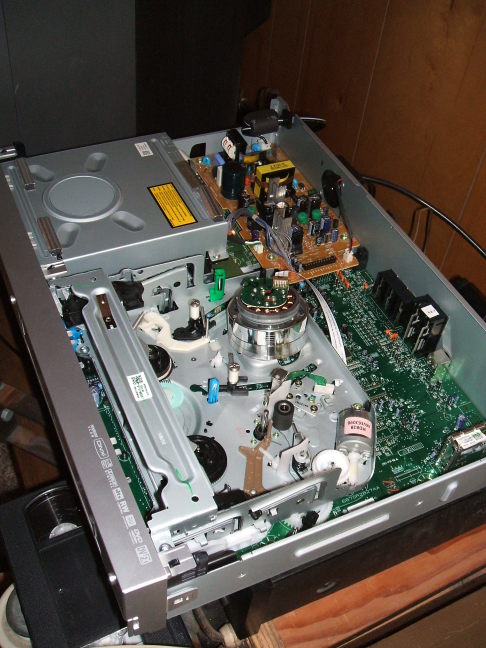
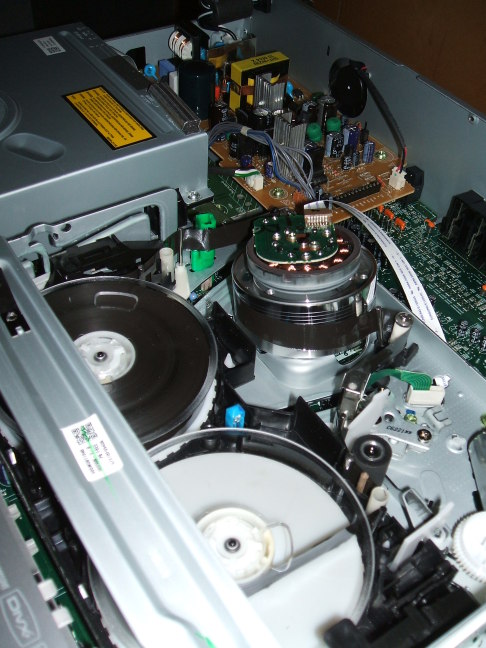
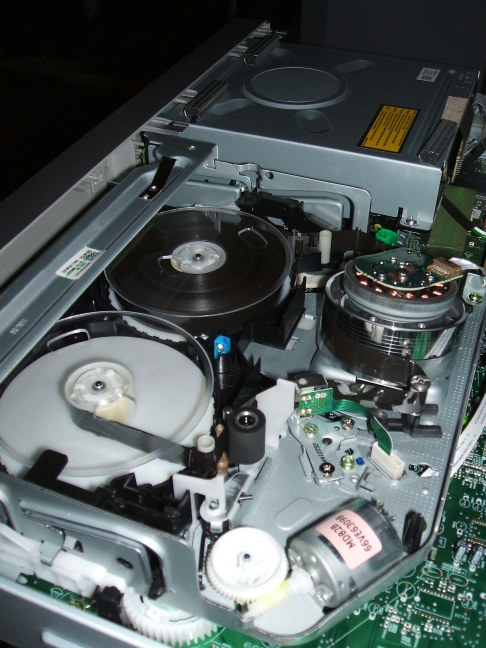
Now, my DVD/VCR deck (the infamous one I partly disassembled the night I purchased it in order to dub some old brittle VHS tapes to DVD) can do the PAL->NTSC conversion in its chipset. These PAL DVDs play fine on it, sending output to my NTSC-only TV. It's a fairly no-name Insignia NS-DRVCR. Goldstar (or whatever their name really is in Korea) makes them as the house brand for Best Buy.
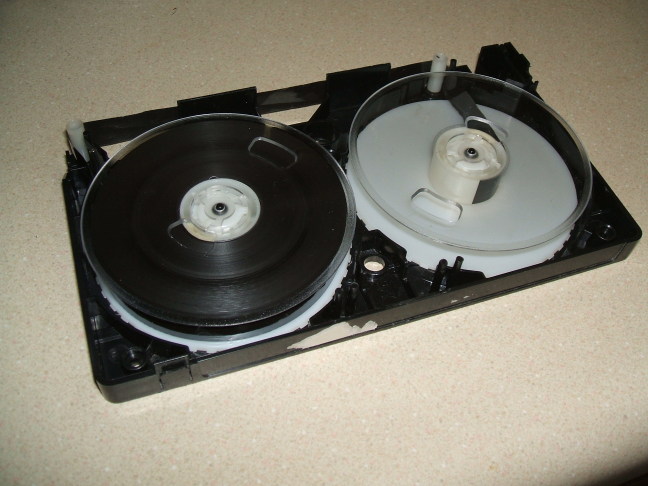
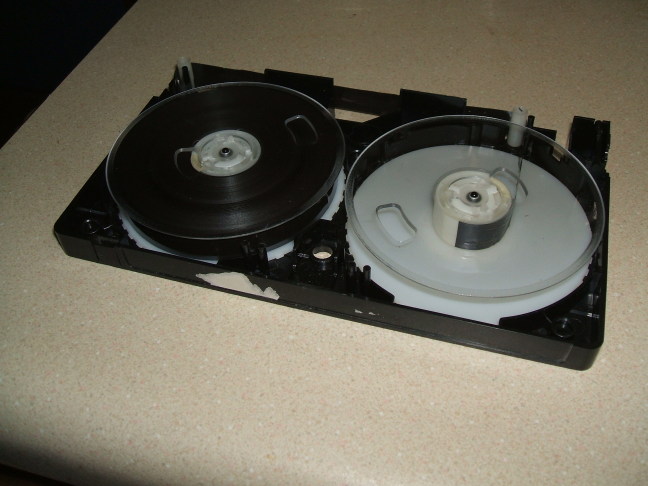
I had to disassemble the tape cases, using the bottom half as a carrier to place the two tape spools and tape run into the correct relative positions. With a bit of manual "help", I could get the deck to load the tape. Then I could dub it onto a DVD.
The DVDs created with the above process have some artifacts.
Motion of objects within the frame looks OK, but pans of the
camera cause some artifacts on edges perpendicular to the
direction of pan. Some is flicker of the entire edge, some
is an exaggerated square saw-tooth effect. I think this
comes from the conversion done by ffmpeg.
Ask Google something like:
dvd region-free ntsc pal
and you
see that there are a number of models available in the US
that ignore the region code (or at least they claim to)
and also have the PAL->NTSC chipset.
Also see another page of mine for a related project.