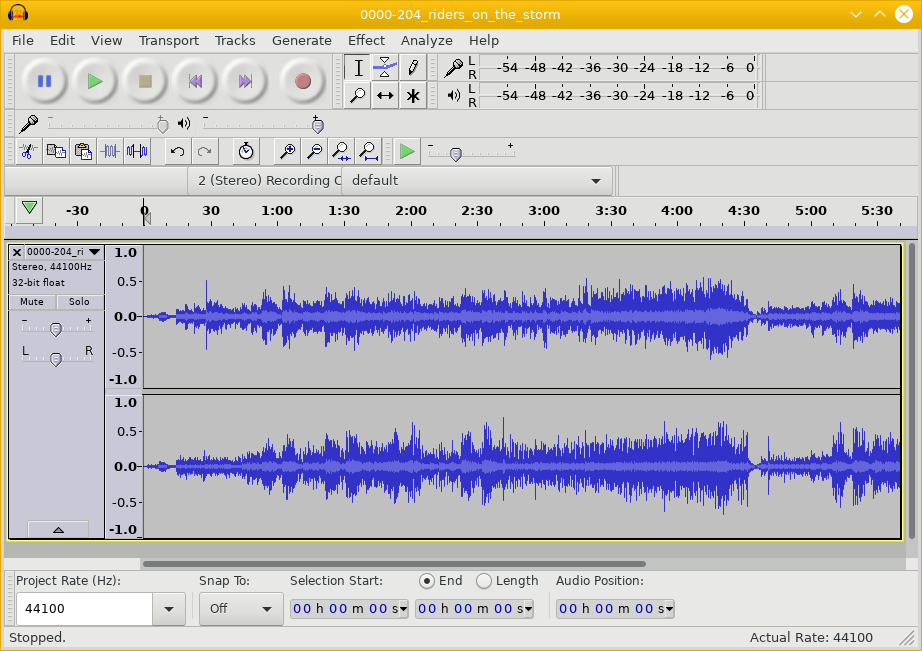
Converting Audio Files from WMA or FLAC or OGG to MP3
It's easy and free to convert audio formats with open-source software on Linux, BSD, or similar!
You need to learn how to convert audio formats from
the proprietary WMA or FLAC or the open-source OGG
to MP3.
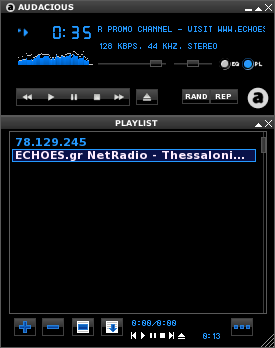
Some audio players can handle all formats, like
the open-source
Audacious
seen below.
However, other players require MP3.
We can easily convert audio files with free open-source
software including mplayer,
flac,
lame,
mp3info,
and others.
Let's see how to do the conversions!
If you have a video file — MPEG, WEBM, AVI, WMV, etc — see my other page on extracting audio from a video file.
Converting WMA to MP3
WMA stands for Windows Media Audio, an audio data compression technology. Some players can handle WMA data directly, but many require MP3 (or, to be technical, MPEG-1 Audio Layer 3).
WMA data may be encapsulated within an ASF, or Advanced Systems Format, container file. ASF provides metadata, similar to ID3 tags in MP3 files, and may include digital rights management to limit your ability to play your music.
To convert foo.wma to foo.mp3
just run this sequence of commands:
$ mplayer -vo null -vc dummy -af resample=44100 -ao pcm:waveheader foo.wma
$ lame -m s -h audiodump.wav -o foo.mp3
$ mp3info -a "Artist name" -t "Song title" -l "Album name" foo.mp3
If you have a bunch of files, there's a good chance that
the file names contain embedded spaces, punctuation marks,
and other Windows detritus.
So you need to be careful when you automate this.
Something like the following should work,
use find to invoke a script:
$ cat convertor
#!/bin/sh
mplayer -vo null -vc dummy -af resample=44100 -ao pcm:waveheader "$1"
lame -m s -h audiodump.wav -o "`echo $1 | sed 's/wma/mp3/'`"

$ find *.wma -exec ./convertor {} \;
Then go through and label the files with mp3info.
Converting FLAC to MP3
FLAC stands for Free Lossless Audio Codec, another audio data compression algorithm. Unlike WMA and MP3, FLAC is lossless. This comes at the expense of larger file size, of course. And while FLAC is an excellent compression algorithm for lossless archival storage, players likely require MP3.
To convert foo.flac to foo.mp3
$ flac -dc foo.flac | lame --vbr-new /dev/stdin foo.mp3
$ mp3info -a "Artist name" -t "Song title" -l "Album name" foo.mp3
Here's a shell script that will do the conversion,
including extracting the FLAC tags and inserting
them as MP3 tags in the result.
Call it as something like:
/path/to/script foo.flac
and the result will be a new file named foo.mp3
#!/bin/sh

FLAC_FILE="$1"
MP3_FILE="`echo ${FLAC_FILE} | sed 's/\.flac/.mp3/'`"

metaflac --export-tags-to=/dev/stdout "${FLAC_FILE}" |
	sed -e 's/=/="/' -e 's/$/"/' \
		-e 's/Album=/ALBUM=/' \
		-e 's/Genre=/GENRE=/' \
		-e 's/Artist=/ARTIST=/' > /tmp/tags-$$
cat /tmp/tags-$$
. /tmp/tags-$$
rm /tmp/tags-$$

flac -dc "${FLAC_FILE}" |
		lame -h -b 192 \
			--tt "${TITLE}" \
			--tn "${TRACKNUMBER}" \
			--ty "${DATE}" \
			--ta "${ARTIST}" \
			--tl "${ALBUM}" \
			--tg "${GENRE}" \
			--add-id3v2 /dev/stdin "${MP3_FILE}"
Converting OGG to MP3
Yes, if the creators of the FLAC file got overly imaginative with metacharacters within the tags, or just used strange strings for the "Genre" field, the above won't work precisely as written. Delete the optional tag parameters as needed.
Lame can't decode OGG and ffmpeg can't encode MP3,
so use FLAC as an intermediate form:
$ ffmpeg -i foo.ogg foo.flac
$ flac -dc foo.flac | lame --vbr-new /dev/stdin foo.mp3
$ mp3info -a "Artist name" -t "Song title" -l "Album name" foo.mp3